


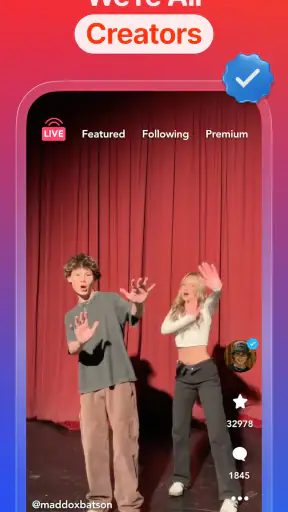
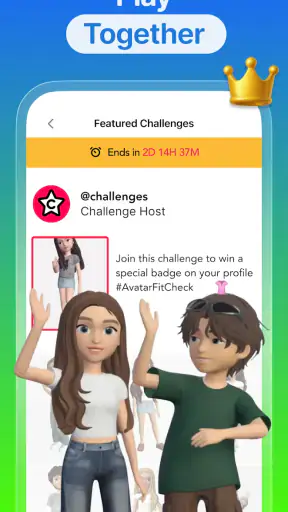


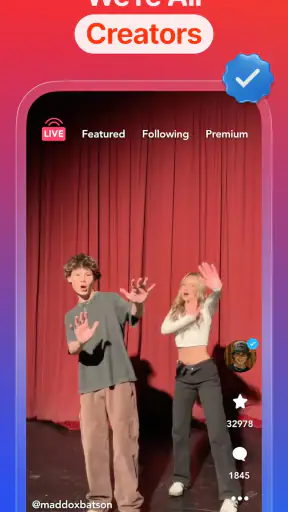
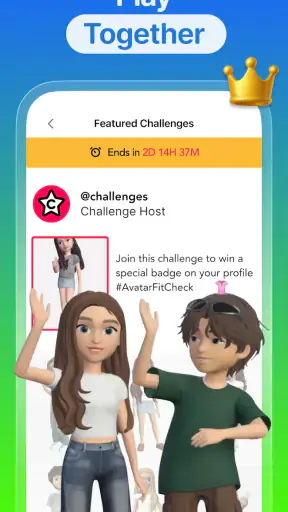
I approached Coverstar as a social app for people who want to share themselves online without feeling pushed toward the harsher side of social media. Its central promise is easy to understand: create, discover, and interact in a more positive environment. After spending time with it, my impression is that it works best when you treat it as a focused community rather than a complete replacement for every social network you already use.
The app is free to install, aimed at a Teen audience, and developed by Coverstar. It belongs to the social category, but its identity is more specific than that label suggests. The experience is built around self-expression and visibility, with an emphasis on keeping interactions friendly. That makes it appealing to younger users who want a place to post and connect, while also giving parents a reason to look more closely at how it is used rather than dismissing it as just another scrolling app.
Its public reception is strong, with a 4.7 average from around 24 thousand ratings and more than a million installs. Those figures do not automatically prove that every user will enjoy it, but they do show that Coverstar has found an audience. I also noticed that the app feels more intentional than a generic feed: the tone it aims for is part of the product, not an afterthought.
How Coverstar feels in everyday use
The first thing I would tell a friend is that Coverstar is easiest to understand when you use it for lightweight social participation. You can browse content, react to posts, and decide how much of your own personality you want to put forward. It does not require you to arrive with a polished personal brand. That is useful for someone who wants to experiment with posting without immediately feeling that every upload has to compete with professional-looking creators.
A realistic example would be a teenager checking the app after school, looking through posts from people with similar interests, then sharing a short clip or visual update before moving on to homework. In that situation, the value is not only the act of publishing. It is the chance to receive a response in a space whose stated direction is less toxic than the usual social-media experience. If the community around a user matches that expectation, Coverstar can feel comfortable and low-pressure.
I found that the app makes more sense when you use simple boundaries. Instead of opening it whenever you are bored, choose a purpose: catch up with friends, look for creative inspiration, or post something you genuinely want to share. That small habit matters because any feed-based social app can become repetitive when browsing has no clear endpoint. Coverstar’s friendlier tone does not remove the need to manage screen time.
For creators, the useful angle is the chance to test ideas in a social setting without relying entirely on an established following elsewhere. A new user can try different styles, see what earns attention, and learn which posts feel natural to make. I would not treat that feedback as a perfect measure of quality, though. Social reactions are shaped by timing, audience fit, and visibility, so a quiet response does not necessarily mean a post failed.
A better way to build your first experience
One practical approach is to spend the first session observing before posting. Pay attention to the kind of content that appears repeatedly, how people respond to one another, and whether the atmosphere matches what you hoped to find. This is a more useful test than uploading immediately and judging the entire service by the first reaction.
I would also recommend keeping early posts relatively comfortable. Share something that represents your interests without revealing details you would not want strangers to know. That gives you room to learn how the community works while protecting your privacy. The app’s positive positioning is encouraging, but no social platform can guarantee that every interaction will be pleasant.
Another overlooked trade-off is discoverability. The same visibility that helps a new creator find an audience can also make an unwanted post travel further than expected. Before publishing, I would ask whether the content still feels appropriate if it reaches people outside the intended circle. That simple check is especially important for younger users.
What the current release tells me
The current version is 10.4.9, which suggests that Coverstar is not an abandoned experiment but a product that has continued through multiple iterations since its release on August 6, 2018. I would not read a version number as proof that every weakness has been solved, but it does indicate an established app with time behind it. The current release is the one I would evaluate when deciding whether to try the service today, rather than relying on impressions from its early years.
That history also changes how I view the app’s identity. Coverstar is no longer simply an idea built around a catchy social message. It has had time to develop into a recognizable destination for people who want a more encouraging style of interaction. The important question is whether that identity remains visible during ordinary use, not just in the first impression.
For someone returning after a long break, I would approach the latest version with fresh expectations. Social apps evolve as their communities change, and an experience that suited one group of users several years ago may feel different now. The safest method is to review the current feed, reconsider who you want to interact with, and adjust your posting habits rather than assuming the old experience will return unchanged.
Where it differs from familiar alternatives
Compared with large general-purpose social networks, Coverstar feels more focused. The usual alternatives often combine messaging, news, entertainment, shopping, live content, and creator tools into one enormous environment. That breadth can be useful when you want everything in one place, but it can also make the social experience feel noisy. Coverstar’s appeal is that its purpose is easier to grasp.
Compared with short-video platforms, it is less useful if your main goal is maximum reach or constant exposure to trending content. Those services are designed around huge discovery systems and rapid consumption. Coverstar is a better fit when the quality of interaction matters more to you than chasing the biggest possible audience. I would choose the larger platform for broad promotion and Coverstar for a more contained social routine.
It also differs from private messaging apps. Messaging is better when you already know exactly who you want to talk to and want a controlled conversation. Coverstar is more suitable for public or community-facing expression, where discovering new people and receiving wider reactions are part of the experience. If you want privacy first, a messaging service remains the stronger choice.
That distinction helps explain why some users may enjoy Coverstar while others quickly move on. It is not trying to solve every social need. Its strongest use case is the middle ground between a private chat and an enormous public feed: a place to share, browse, and participate while looking for a more supportive tone.
Effects on existing users and daily habits
For an existing user, the most noticeable benefit is consistency of purpose. When an app repeatedly reinforces a friendlier social atmosphere, it can make posting feel less like entering a competition. I appreciate that difference because it changes the emotional calculation behind sharing. You are still visible, and reactions still matter, but the experience does not have to revolve around outrage or provocation.
There is an important exception, however. A positive design goal cannot control every individual user or every piece of content. If your personal feed becomes dominated by material you dislike, the app may feel no different from the alternatives you were trying to avoid. In that situation, curating whom you follow and how often you engage is more effective than expecting the platform’s slogan to do all the work.
I would use the app in short, deliberate visits rather than leaving it open throughout the day. That approach makes it easier to notice whether it is adding something valuable or simply filling spare minutes. It also helps creators avoid the trap of checking reactions immediately after every post. Give a piece of content time to find its audience instead of treating instant feedback as a final verdict.
For families, the Teen rating is a useful starting point for a conversation, not a substitute for one. I would talk with a younger user about what they post, how they respond to criticism, and what information should stay private. I would also encourage them to tell a trusted adult if an interaction becomes uncomfortable. Those habits remain necessary even in a platform that presents itself as less toxic.
Costs, devices, and practical expectations
Coverstar is free to use, which lowers the barrier for trying it without committing money upfront. It supports devices running Android 8.0 or later, so anyone with an older phone should check compatibility before planning around it. The app also includes optional purchases ranging from $0.99 to $269.99 per item. Because the gap between those amounts is substantial, I would approach any purchase carefully and make sure the value is clear before confirming it.
My advice is to begin with the free experience and decide whether the core social activity is worthwhile on its own. Do not assume that spending will automatically improve your audience, confidence, or enjoyment. If a purchase is available, consider what it changes in practical terms and whether it solves a real problem for you. This is particularly important when a young person is using the app on a shared device or account.
The minimum operating-system requirement is also part of the everyday experience. On a compatible device, the main concern is likely to be how the feed fits into your routine rather than whether you can access it at all. On an older phone that cannot run the current version, the app is simply not a practical option, and a lighter social service may be a better choice.
Where the experience still has limits
The biggest limitation is that Coverstar’s success depends heavily on the community you encounter. A positive identity can attract the right audience, but your personal experience will vary according to who is active, what content reaches you, and how much genuine interaction you find. If you want a huge range of specialized communities, a larger network may offer more depth.
I also would not recommend it to someone who needs advanced professional publishing tools, detailed analytics, or a broad business audience. Coverstar is better understood as a social space for participation and self-expression than as a complete creator-management system. A dedicated platform may be more appropriate if your work depends on measuring campaigns, organizing a large audience, or distributing content across many channels.
It may also disappoint users who prefer completely private communication. The attraction here comes from being seen and interacting beyond a small circle. If that sounds uncomfortable, the app’s central appeal becomes a drawback. Likewise, anyone who already feels exhausted by feeds should think carefully before adding another one, even if its tone is more welcoming.
One subtle weakness is the tension between positivity and authenticity. A space that encourages friendly behavior can be refreshing, but users may still feel pressure to appear upbeat all the time. I prefer when a social app leaves room for ordinary, imperfect expression rather than turning positivity into another performance. Coverstar is most enjoyable when you use its tone as an invitation to be respectful, not as a demand to pretend everything is perfect.
What I would watch before committing
I would pay attention to how the app’s community develops over time. The most meaningful sign is not a slogan or a version number; it is whether users actually respond constructively, whether new creators can participate without chasing controversy, and whether the feed remains varied enough to hold attention. Those are the factors that determine whether the app’s promise survives everyday use.
I would also watch how comfortable the current experience feels for returning users. A mature social app can gain stability, but it can also become more crowded or more competitive as its audience grows. If you liked Coverstar because it felt approachable, check whether that quality is still present before moving your entire social routine there.
Parents and younger users should watch spending as well as social behavior. The free entry point makes experimentation easy, while the optional purchase range means account settings and payment habits deserve attention. A quick conversation before installing is more useful than dealing with an unexpected purchase later.
Finally, I would judge the app by the role it plays, not by whether it replaces every other service. Use it for positive discovery, casual sharing, and community interaction; keep private conversations in a private tool and professional promotion in a platform built for that purpose. That division produces a more realistic and healthier setup than asking one app to handle everything.
My recommendation
I recommend Coverstar to teenagers and casual creators who want a social app with a clearly friendlier direction, especially if they enjoy sharing without needing a massive public platform. Its established history, current version 10.4.9, free entry, and strong 4.7 average make it an easy service to test. The app is at its best when you approach it with modest expectations: look for genuine interaction, post thoughtfully, and use the community as a place to explore rather than as a scoreboard.
I would skip it if you want private chat above all else, professional creator tools, guaranteed reach, or a feed-free digital life. In those cases, a messaging app, a specialized publishing service, or simply fewer social apps will serve you better. I also would not spend money until the free experience has proved useful.
My final view is that Coverstar has a worthwhile idea and a clear audience. It does not magically remove the problems that come with social media, but it gives users a more deliberate starting point than many general-purpose alternatives. The best reason to try it is not the promise of going viral; it is the chance to see whether a more respectful community changes how comfortable you feel sharing online.


